Skip to content

Ours Network

Delegate coordination and implementation.

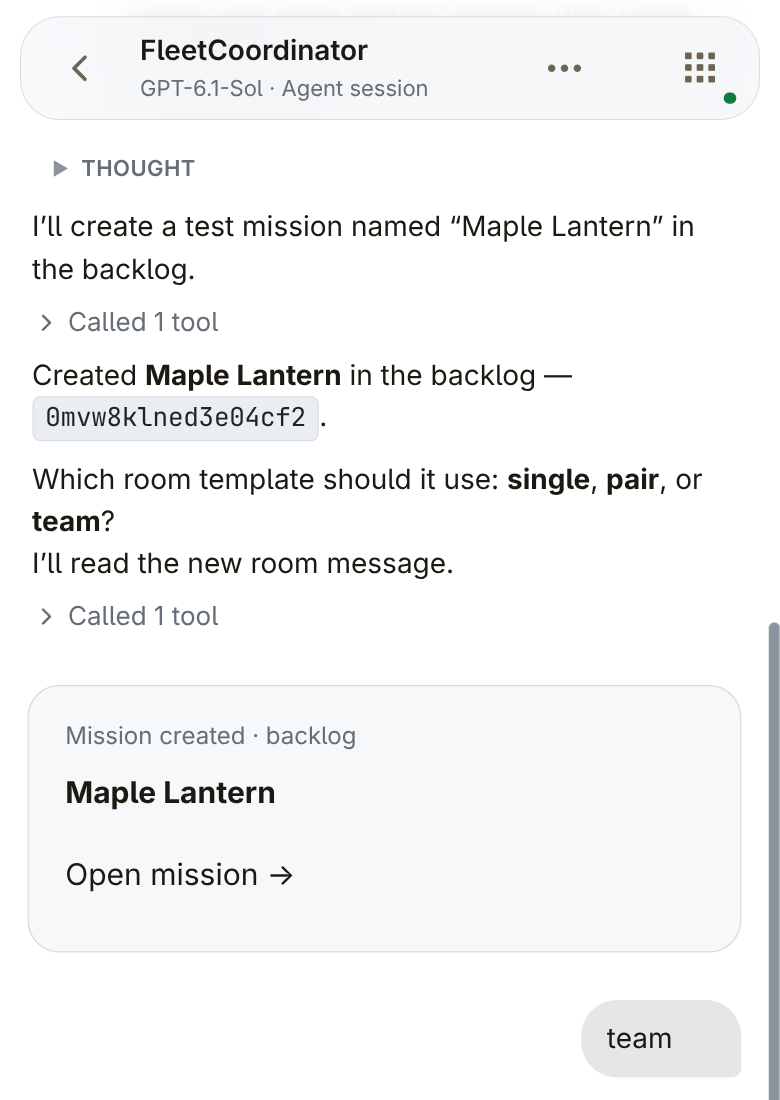
You report a problem. Your agent creates a mission. Ours starts the configured team and opens its shared room.

Create your account, then follow the installation instructions in the app.

Spend less time setting up agent sessions.

You open one session for a mission, then another for the next. You connect them by hand.

Your attention stays with the work.

You relay context, decisions and results. You check what each agent is doing.

Connect agents across different tools.

Claude Code connects its own sessions. Ours connects agents across tools.

Save workflows for different kinds of work.

You configure workflows by mission type. Ours reuses that setup.

Use one harness across the team, or mix several.

The next mission, without another setup round.

You describe the problem. Your agent creates a mission. Ours automatically starts its configured team and shared room.

Your workspace and model setup come first.

FleetCoordinator conversation with a Maple Lantern Mission created · backlog card and the reply team.
Maple Lantern created in the backlog, followed by the reply team. A selected view of the coordinator conversation.

Pick up where you left off.

The board shows missions from backlog through done. You open the work that needs your attention.

The mission board with missions organized by status.

Put your energy and focus into work that needs you.

You mute routine mission-room messages. Agents record progress and send work for your review.

1. In-app counters mark new progress and unread messages.
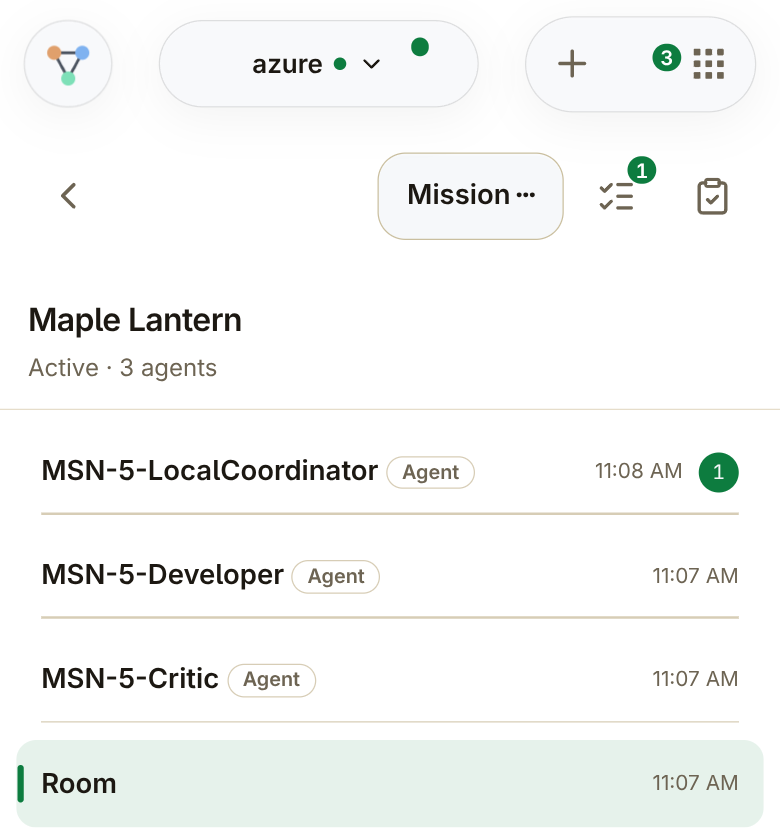
Maple Lantern team with native in-app progress and unread counters.

2. A separate Progress view: an unread request for an Owner decision and the first assignment.
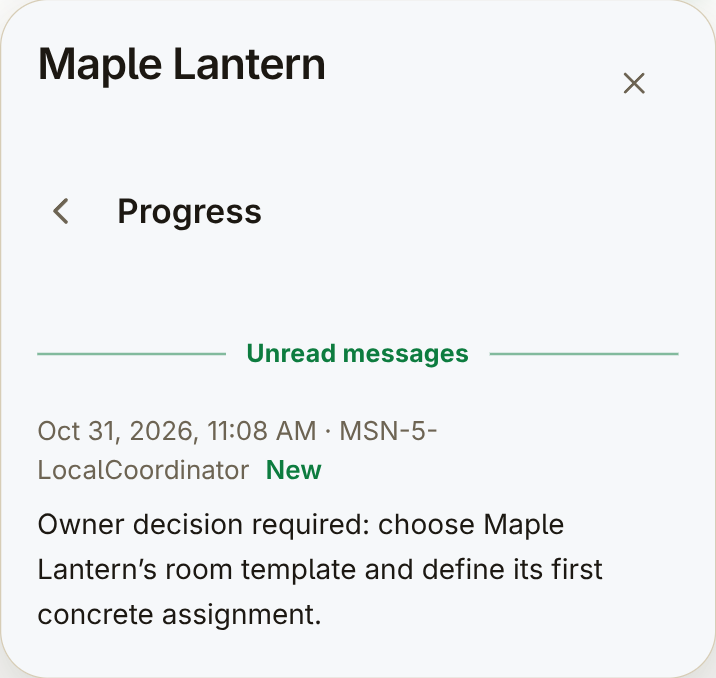
2. A separate Progress view: an unread request for an Owner decision and the first assignment.
Two selected views of Maple Lantern. The mission is waiting for input in this entry.

Open progress and results without searching chat.

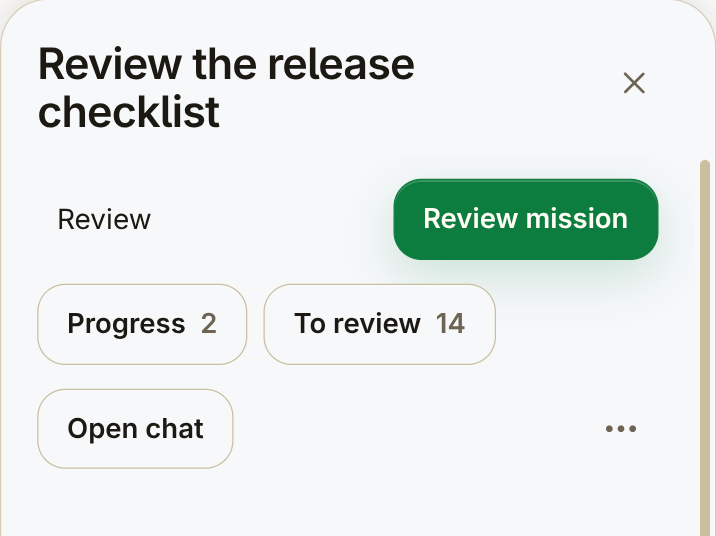
You check Progress and To review, or open the chat for more detail.

Top of Review the release checklist: Review status, Review mission, Progress 2, To review 14 and Open chat.
A separate mission: Review the release checklist. Selected controls; the description continues below this view.

See what is ready. Decide what to accept.

The team submits a result and files. You inspect them and decide whether to accept the work.

A mission's To review with a result summary ready for the Owner to inspect.

Attached files — a separate view of the same To review.
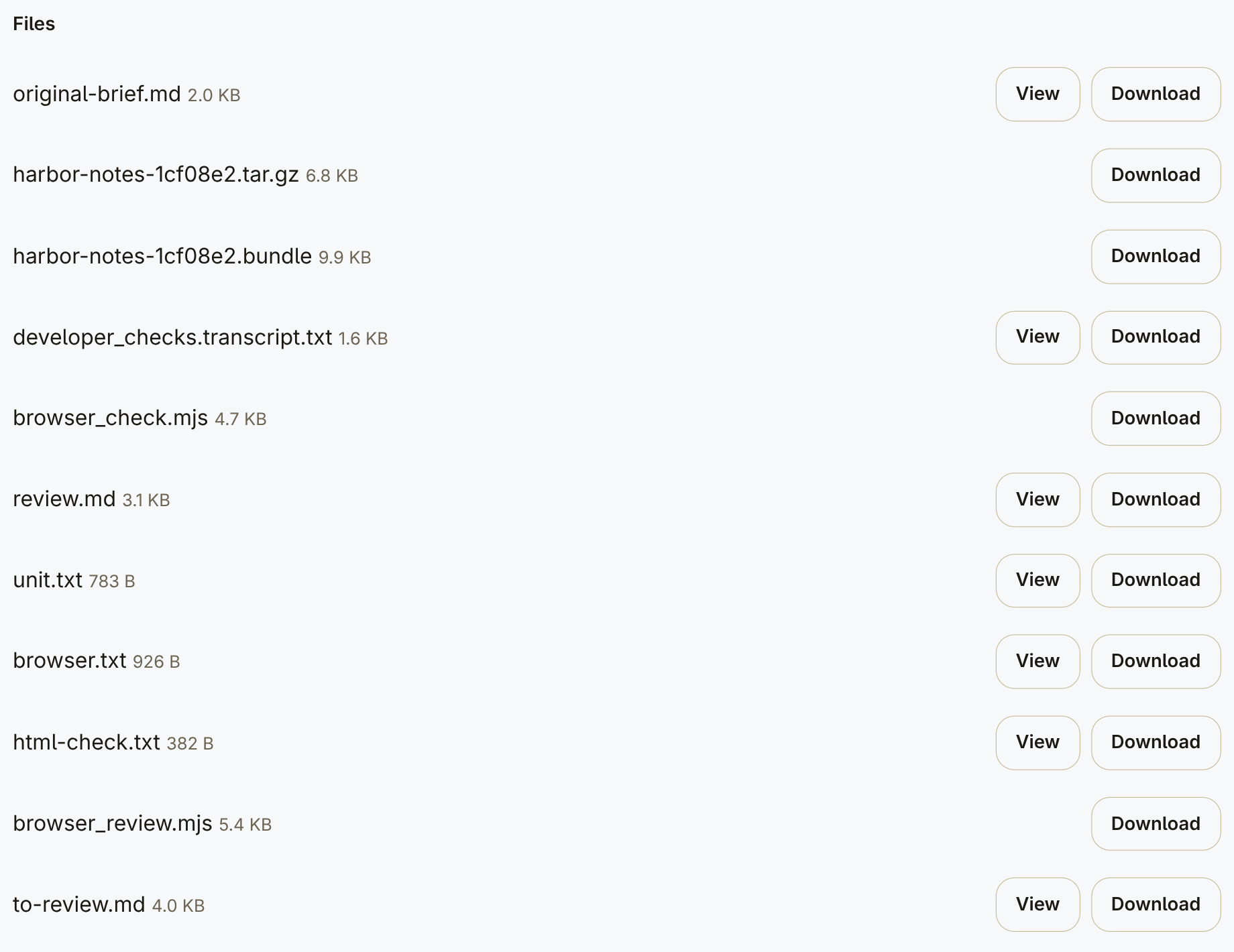
Attached files — a separate view of the same To review.

What problem would you hand over?

You describe the work. Your agent creates the mission. Ours starts the configured team.

Rather not run it yourself?

Request a hosted setup in the app and we'll contact you.

Request hosted setup

Create your account, choose “Let Ours host it”, then “Notify me”.