Skip to content

Ours Network

Get your team working without repeating the setup.

You configure workflows. Ours starts the agents and shared rooms.

Create your account, then follow the installation instructions in the app.

Set up agents for the people you support.

You choose the roles, tools and models for their work.

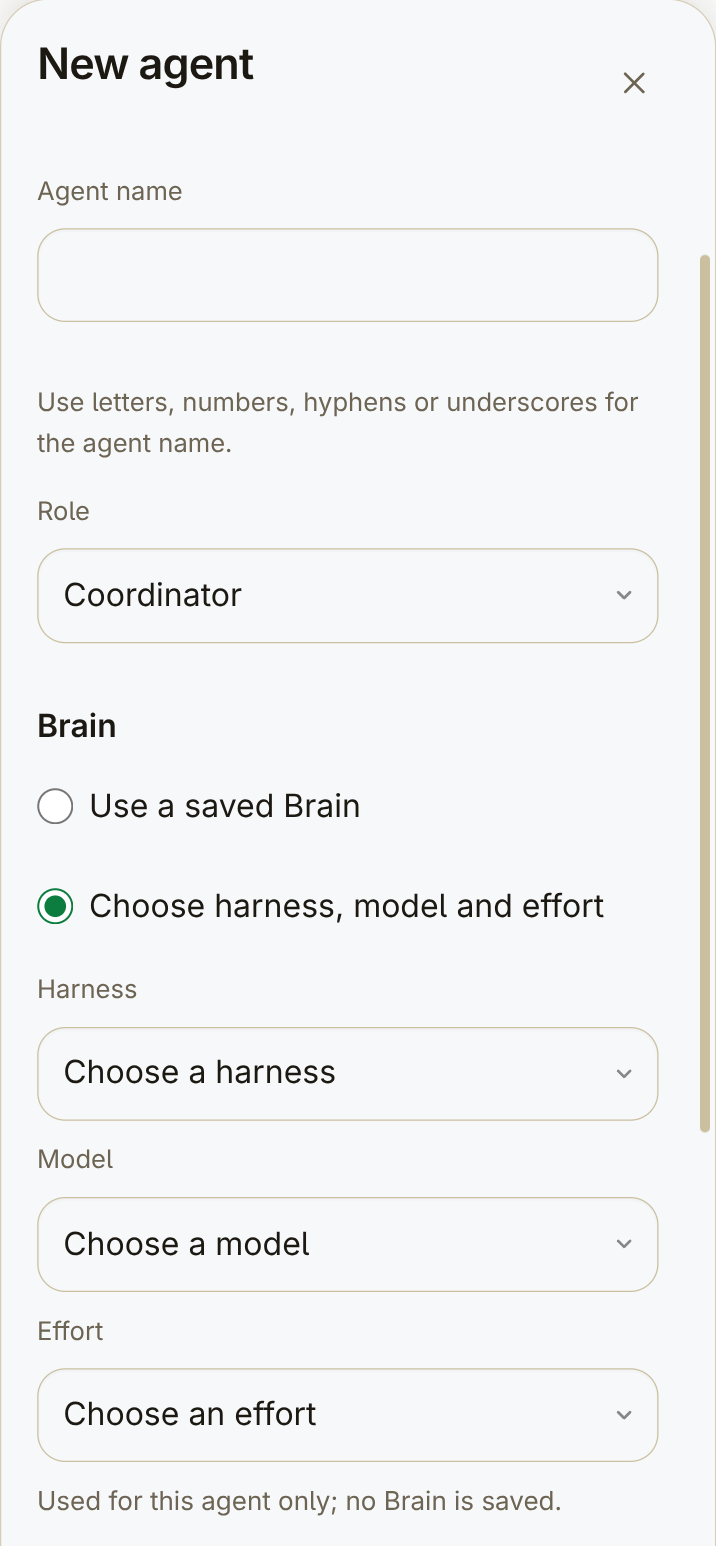
Beginning of New agent: empty name, Coordinator role, Brain choices and unselected harness, model and effort fields.
Beginning of New agent. The name is empty; harness, model and effort are not selected. Further settings are below this view.

Reuse your roles and mission presets.

You save role instructions and workflows. You add supported skills and plugins.

Deployment, skills and plugins need operator setup on the host and harness. This is not a one-click managed service.

A role definition with its name, mission and the start of its instructions.

Brain definition — harness, session, model and reasoning effort. Current sessions keep their snapshots.

Brain definition — harness, session, model and reasoning effort. Current sessions keep their snapshots.
Role and Brain definitions, shown in separate views.

Follow your work with fewer distractions.

Chats shows agents and current missions. You open the conversation that needs attention.

Your host must stay on and online.

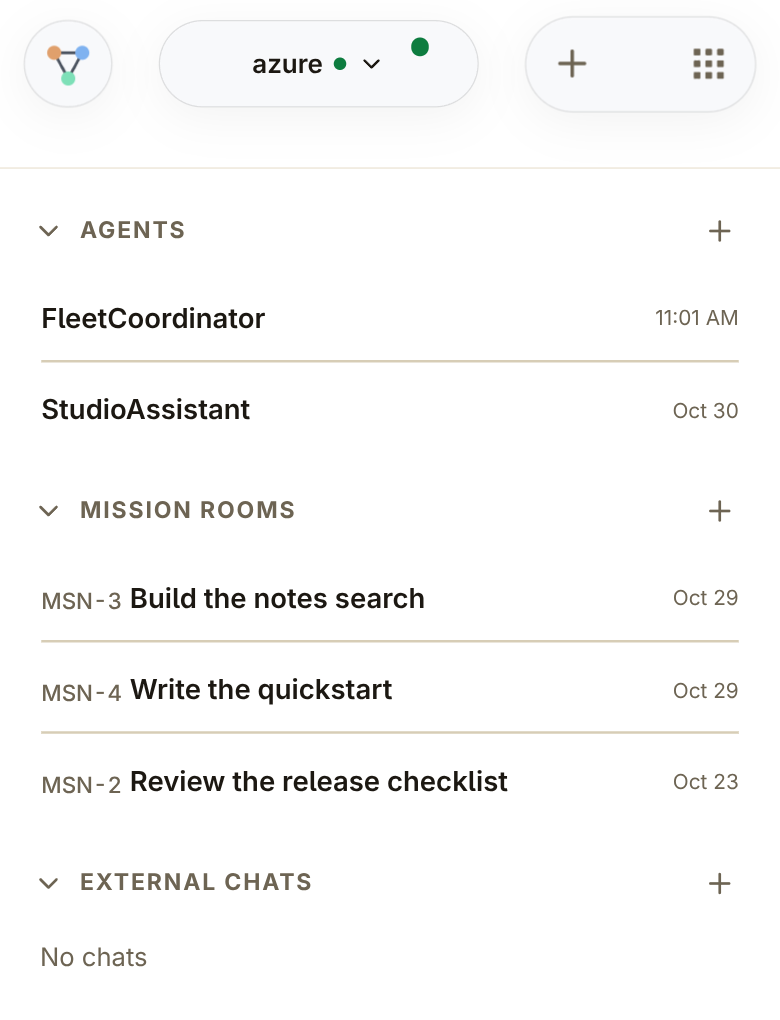
Selected Chats panel with the host switcher, two agents, three mission rooms and an empty External chats section.
Agents and mission rooms in the Chats list. External chats is empty in this view.

Save a team workflow for each kind of mission.

You configure roles by mission type. Ours starts the team and its shared room.

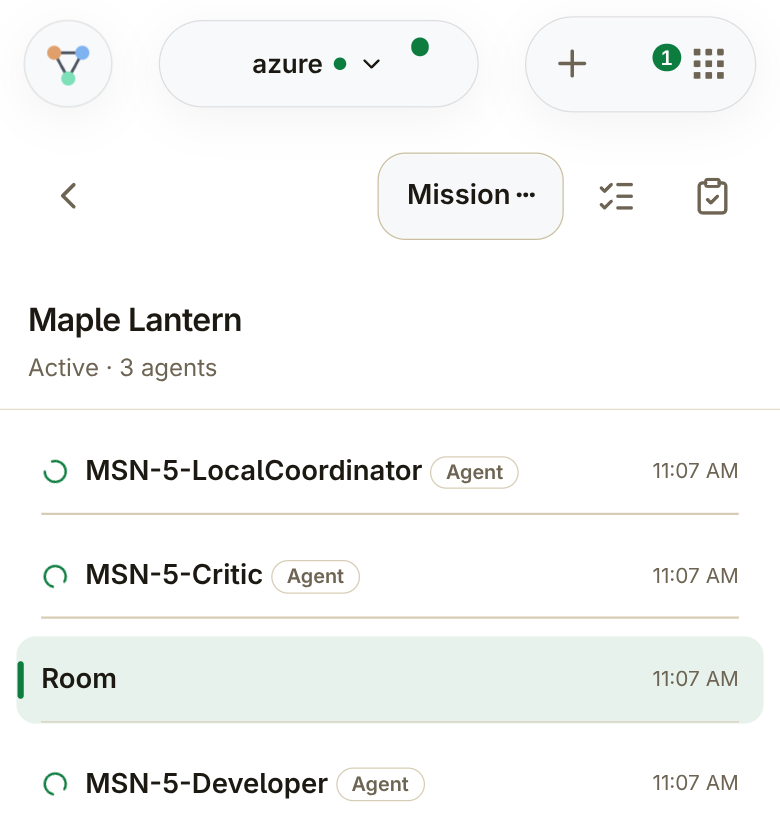
Maple Lantern with LocalCoordinator, Critic, Developer and the shared Room.
Maple Lantern: LocalCoordinator, Critic, Developer and the shared Room.

Get your team working without repeating the setup.

You report the problem. Your agent creates a mission. Ours starts the configured team.