Skip to content

Ours Network

Keep your agents ready for the work you repeat.

You save instructions, tools and models. Ours reuses your workflows.

Create your account, then follow the installation instructions in the app.

Set up your agent for the work you do.

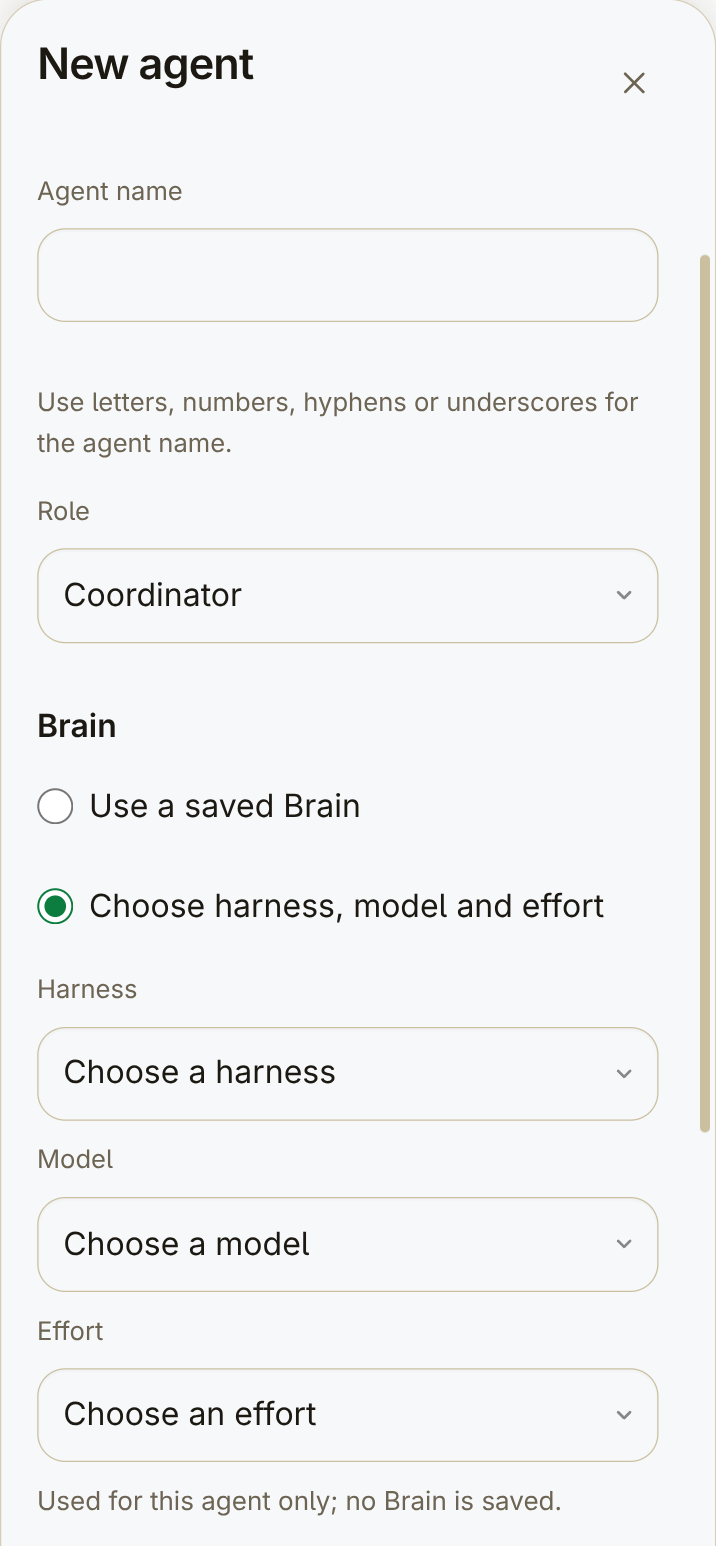
You name your agent, set its role and choose its tool, model and effort.

Beginning of New agent: empty name, Coordinator role, Brain choices and unselected harness, model and effort fields.
Beginning of New agent. The name is empty; harness, model and effort are not selected. Further settings are below this view.

Save instructions instead of repeating them.

You save role instructions and add supported skills and plugins.

Role and model settings are in the app. Skills and plugins depend on your host and harness configuration.

A role definition with its name, mission and the start of its instructions.

Brain definition — harness, session, model and reasoning effort. Current sessions keep their snapshots.

Brain definition — harness, session, model and reasoning effort. Current sessions keep their snapshots.
Role and Brain definitions, shown in separate views.

Hand your requests to the coordinator.

You describe the work. Your Fleet Coordinator organizes the missions.

The Fleet Coordinator chat in a ready workspace, answering a request.

From a problem to a mission, with less admin.

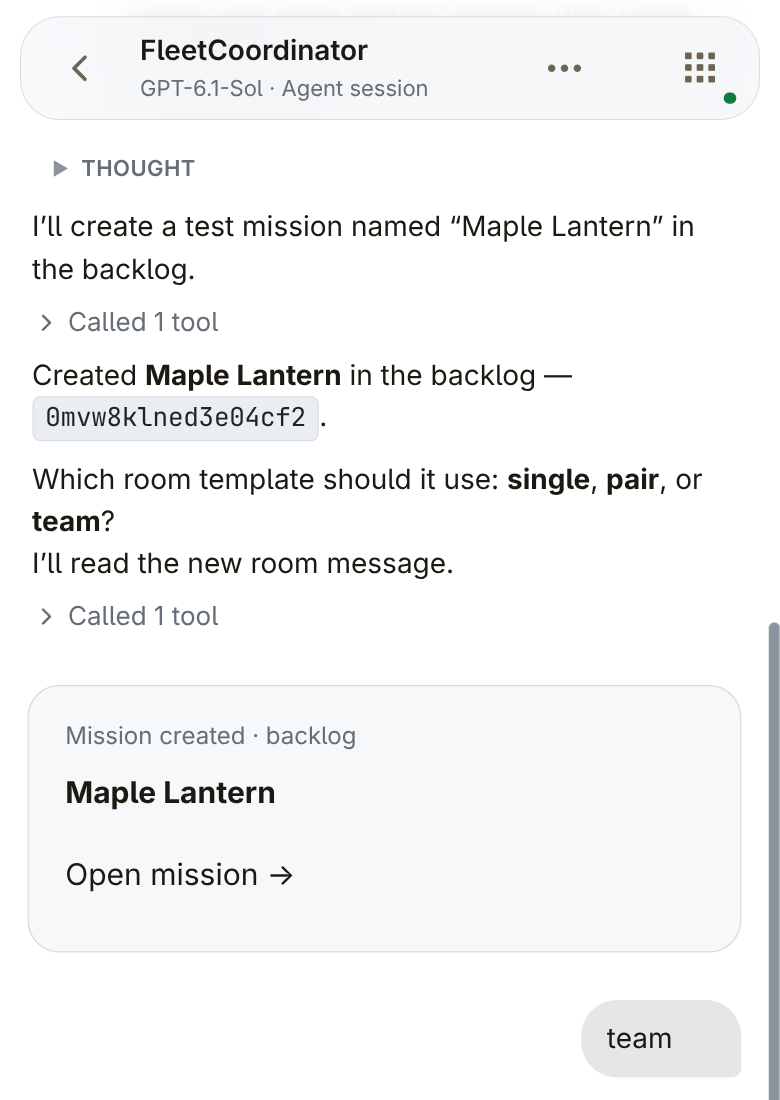
You describe a problem. Your agent creates a mission.

FleetCoordinator conversation with a Maple Lantern Mission created · backlog card and the reply team.
Maple Lantern created in the backlog, followed by the reply team. A selected view of the coordinator conversation.

The next mission, without another setup round.

You configure roles by mission type. Ours automatically creates those agents and their shared room.

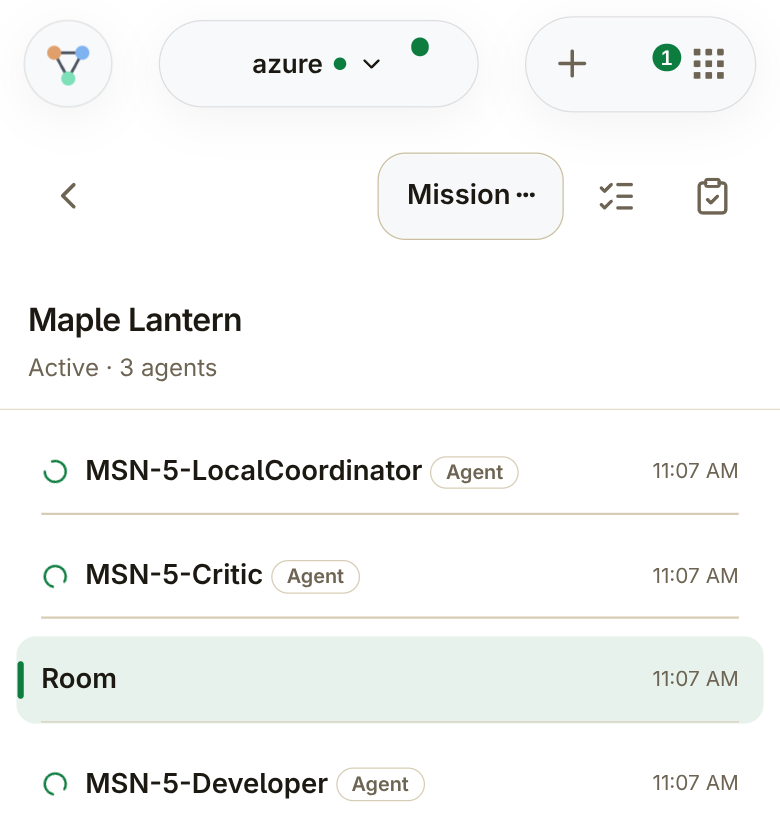
Maple Lantern with LocalCoordinator, Critic, Developer and the shared Room.
Maple Lantern: LocalCoordinator, Critic, Developer and the shared Room.

Keep ongoing help separate from mission teams.

Your permanent agents stay available. Ours starts temporary teams for mission work.

Temporary agents can join rooms and accept invites.

Review the result before accepting the work.

The team submits its result. You decide whether to accept it.

A mission's To review with a result summary ready for the Owner to inspect.

Attached files — a separate view of the same To review.
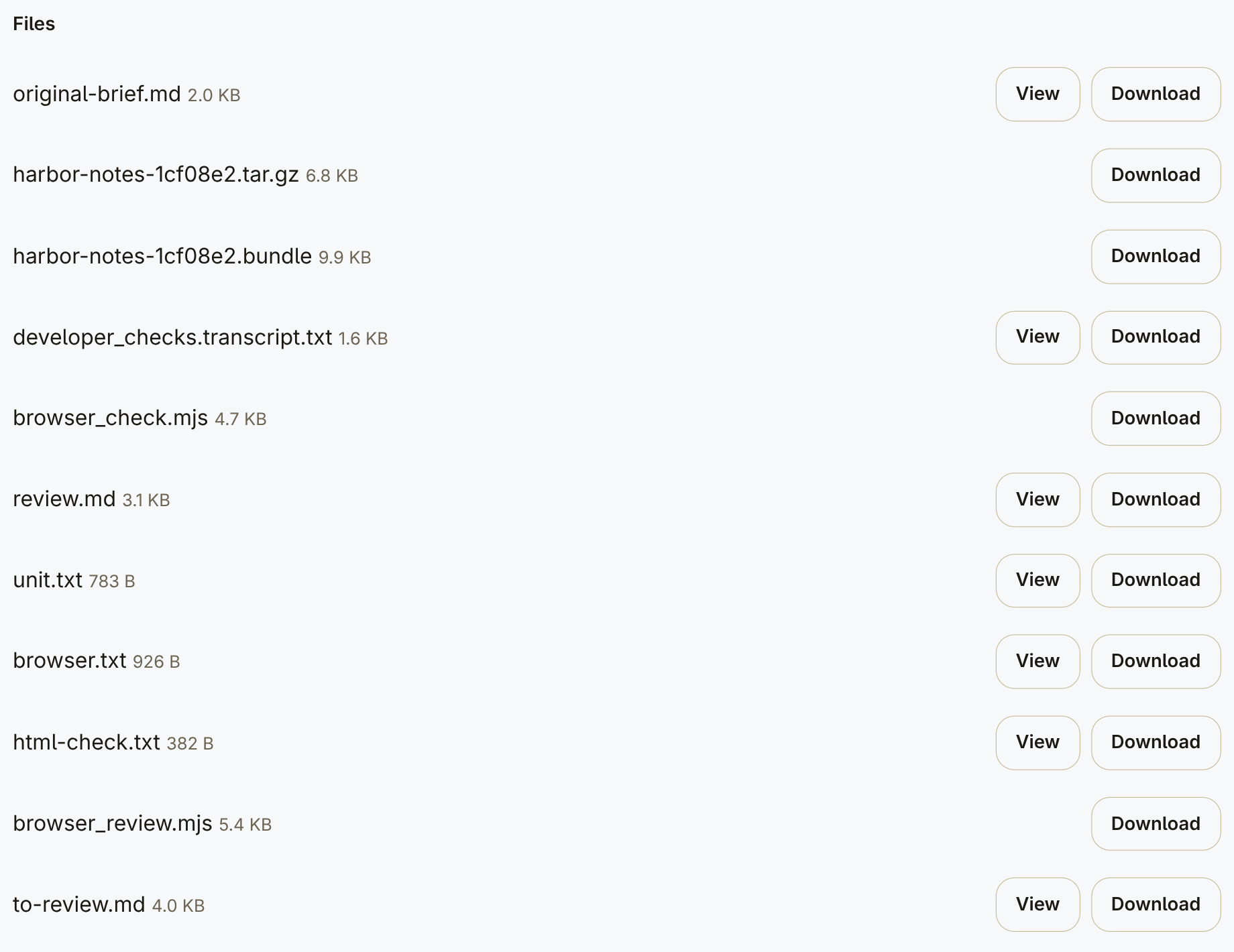
Attached files — a separate view of the same To review.

Make the next request with less setup.

You save workflows by mission type. Ours starts the teams.

Rather not run it yourself?

Request a hosted setup in the app and we'll contact you.

Request hosted setup

Create your account, choose “Let Ours host it”, then “Notify me”.